
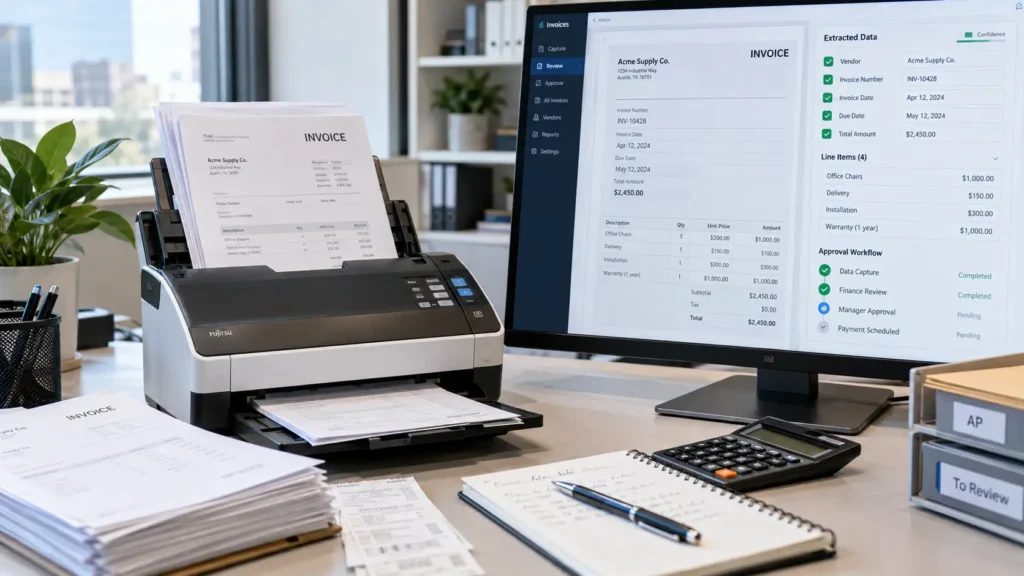
Most accounts payable teams already know which part of the job hurts: typing invoice data into the ERP, chasing mismatches and checking the same supplier details every month. AI invoice processing targets exactly that work. The goal isn’t to remove people from AP. It is to let them spend their time on the exceptions instead of the routine.
The short answer: AI invoice processing reads invoices in any format, extracts the key fields, checks them against purchase orders and receipts, and sends clean invoices to the ERP for approval while routing problems to a person. The best place to start is one high-volume supplier group, with a person reviewing every result until accuracy is proven. It is one of the most common starting points in process automation.
How AI Invoice Processing Works
- Capture. Invoices arrive by email, supplier portal or scan, and land in one queue instead of several inboxes.
- Extraction. A model reads the document and pulls out supplier, invoice number, dates, line items, taxes and totals, even when every supplier uses a different layout.
- Validation. The system checks that totals add up, the supplier exists in the vendor master and the invoice number hasn’t been paid before.
- Matching. Each invoice is compared with its purchase order and goods receipt, the classic three-way match.
- Routing. Invoices that pass go to approval in the ERP. Anything that doesn’t match, or that the model isn’t confident about, goes to a person with the reason attached.
How It Differs From Templates and Basic OCR
Older invoice tools used OCR with a template per supplier: read the number in this box, the date in that corner. When a supplier changed its layout, the template broke and someone had to fix it.
AI extraction reads the invoice the way a person does, by context, so a new layout rarely needs setup. That is why invoices are a job for an AI model rather than a fixed script, the same distinction we explain in RPA vs AI agents.
AI Invoice Processing: Where to Start
- Measure the current process. Count invoices per month, time per invoice and how many need corrections. Without a baseline, you can’t show the gain.
- Pick one segment. Start with a supplier group that sends many similar invoices, not the most complex vendors.
- Run it in parallel. For the first weeks, the AI processes invoices while the team still does them by hand, and you compare results.
- Set a confidence threshold. Low-confidence extractions always go to a person. Raise automation only as accuracy holds.
- Then connect to the ERP. Post to the ERP only after the parallel run proves the numbers.
Consider a distributor that receives most of its invoices from a few dozen regular suppliers by email. Starting with those suppliers covers most of the volume with the least variation, and the long tail of one-off vendors can stay manual until the process is stable.
What to Watch Out For
- Vendor master data. If supplier records are duplicated or outdated, matching fails no matter how good the extraction is.
- Changes to bank details. Any request to change where a payment goes should always be verified by a person, outside the automated flow.
- Duplicate invoices. The same invoice sent twice, by email and by portal, needs a check on supplier, number and amount.
- Spot checks after launch. Review a sample of automated invoices each month, the same validation habit described in our data quality scoring framework.
The Bottom Line
AI invoice processing works best as a partnership between the model and the AP team. Let the AI handle capture, extraction and matching, keep people on exceptions and payment changes, and start with one supplier group before scaling. Measure before and after so the results are clear to finance leadership.
Sisifo Analytics builds invoice automation that connects to your ERP, as part of our custom AI solutions, with review steps designed in from the start.
Is your AP team still typing invoices by hand? Book a 30-minute call with our team and we’ll help you pick the right place to start.