For many companies, Excel is the comfort zone. It’s familiar, flexible, and has “worked for years.” But when teams rely on spreadsheets to reconcile data or build recurring reports, Excel stops being a tool and starts becoming infrastructure. That’s where things break down, and it’s exactly why automating Excel reports has become a priority for growing teams.
At scale, manual spreadsheets slow teams down, introduce inconsistencies, and make reporting depend on whoever last touched the file. The habit persists because it feels comfortable, not necessarily because it’s efficient or reliable.
A finance team closing the month often spends more time reconciling three versions of the same spreadsheet than analyzing what the numbers actually mean. Multiply that by every department running its own reports, and automating Excel reports stops being a technical nice-to-have and becomes the fastest way to get hours back every week.
Why the Excel Habit Persists
Most organizations don’t stick to Excel out of need. They stick to it because:
- It’s what everyone already knows
- Changing a workflow feels riskier than maintaining an inefficient one
- Teams believe automation requires a massive rebuild of everything they’ve already created
This is cultural inertia, not operational necessity. It also carries a real cost: independent research on spreadsheet risk has found that the large majority of operational spreadsheets contain errors, and roughly half of the models used in large businesses have material defects that go unnoticed simply because no one tests them.
How Sisifo Replaces Manual Reporting — Without Forcing People to Abandon Excel
Sisifo builds automated reporting pipelines that remove the manual, error-prone steps while keeping Excel available when it’s genuinely needed.
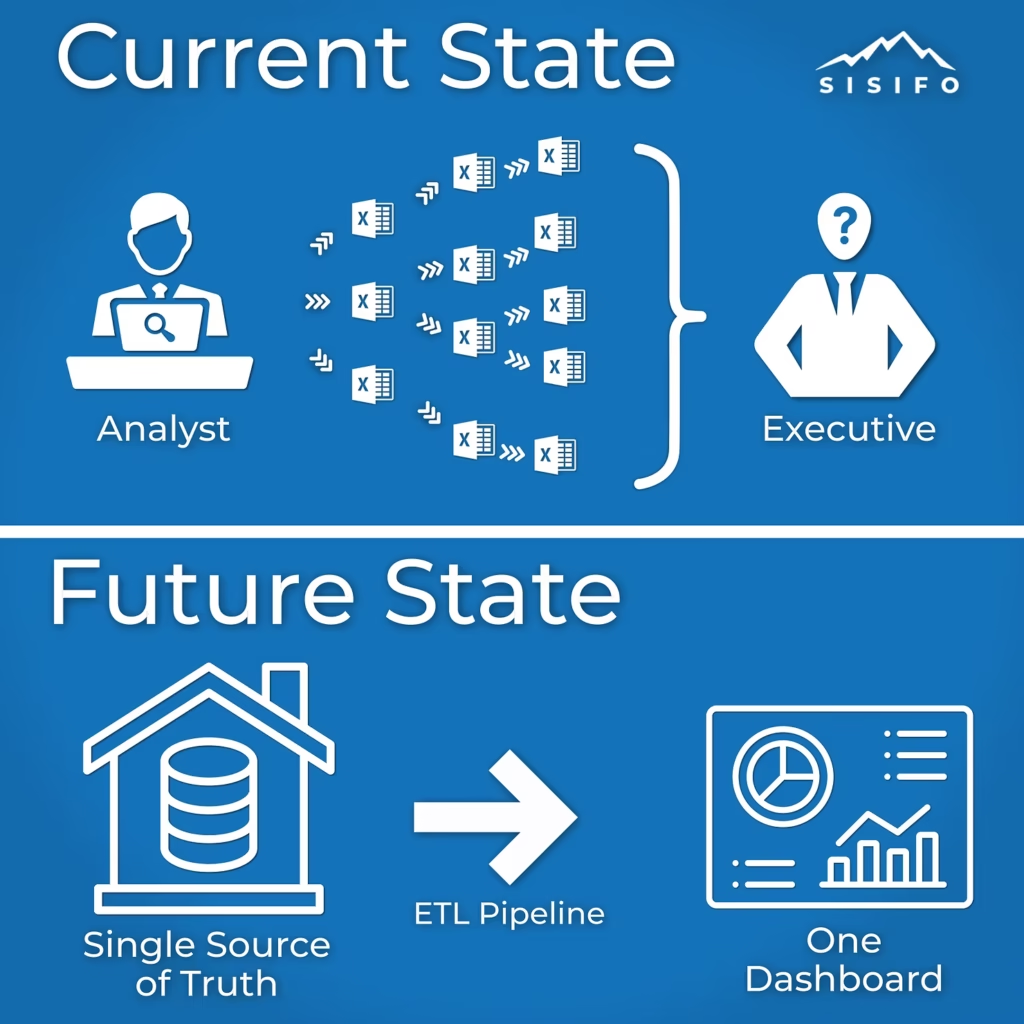
Here’s how the automation loop works:
Automated Dashboards Replace Spreadsheet-Based Reporting
Recurring Excel reports become live dashboards with scheduled refreshes and clear, centralized logic.
Flexible Pipelines Ensure Updates Flow Automatically
Any change in source systems — ERP, MES, SCADA, CRM — moves through Sisifo’s pipelines and updates every connected dashboard or metric. No copy-paste. No manual reconciliation.
Excel Becomes an Output, Not the Process
For users who still want spreadsheets, Sisifo generates clean, consistent exports on demand.
Teams keep Excel, but as a destination for analysis, not the backbone of the workflow.
The Impact of Automating Excel Reports
Organizations that shift from spreadsheet-driven reporting to automated pipelines see benefits almost immediately:
- Report build time drops from hours to minutes
- Departments access the same version of the truth
- Analysts spend time interpreting data, not stitching it together
- Leadership gains visibility without waiting for someone to “finish the file”
The result is: faster decisions, cleaner data, and teams who can move beyond “the way it’s always been done.”
Getting Started with Automating Excel Reports
Automating Excel reports doesn’t require replacing every spreadsheet on day one. Most teams start with the single report that causes the most pain — the one rebuilt every week from three or four source files — and automate that workflow first.
- Map the current spreadsheet: source systems, formulas, and who owns each version
- Connect the underlying data sources directly, the same way a single source of truth keeps every department working from the same numbers
- Rebuild the calculations once inside a governed pipeline, checked against a data quality scoring framework so errors surface before they reach a dashboard
- Retire the manual version only after the automated one has matched it for a full reporting cycle
Handled this way, automating Excel reports feels like removing friction, not replacing a system people already trust.
Closing Thought
Excel remains a powerful tool for ad hoc analysis, but once a report has to run every week without errors, automating Excel reports — not adding more tabs and macros — is what keeps the numbers trustworthy as the business grows.